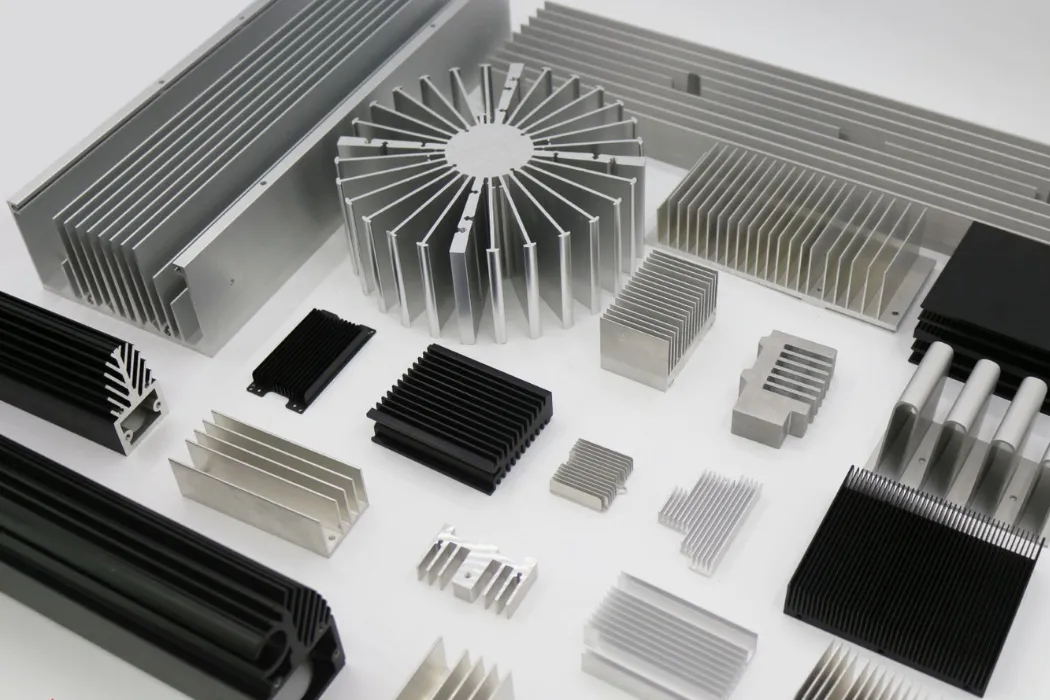
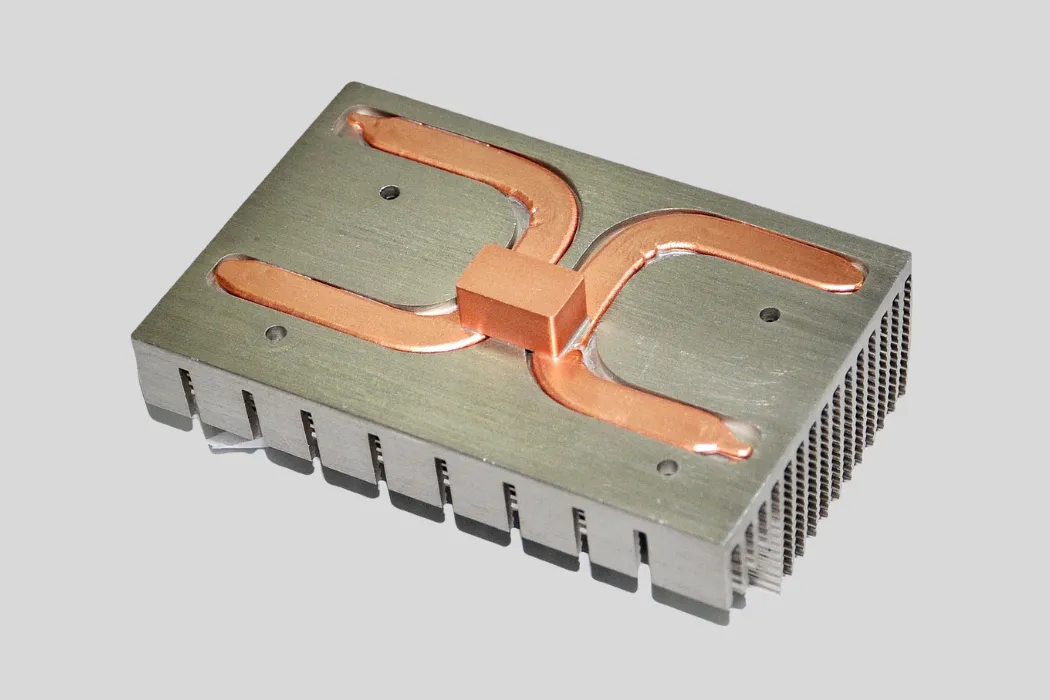
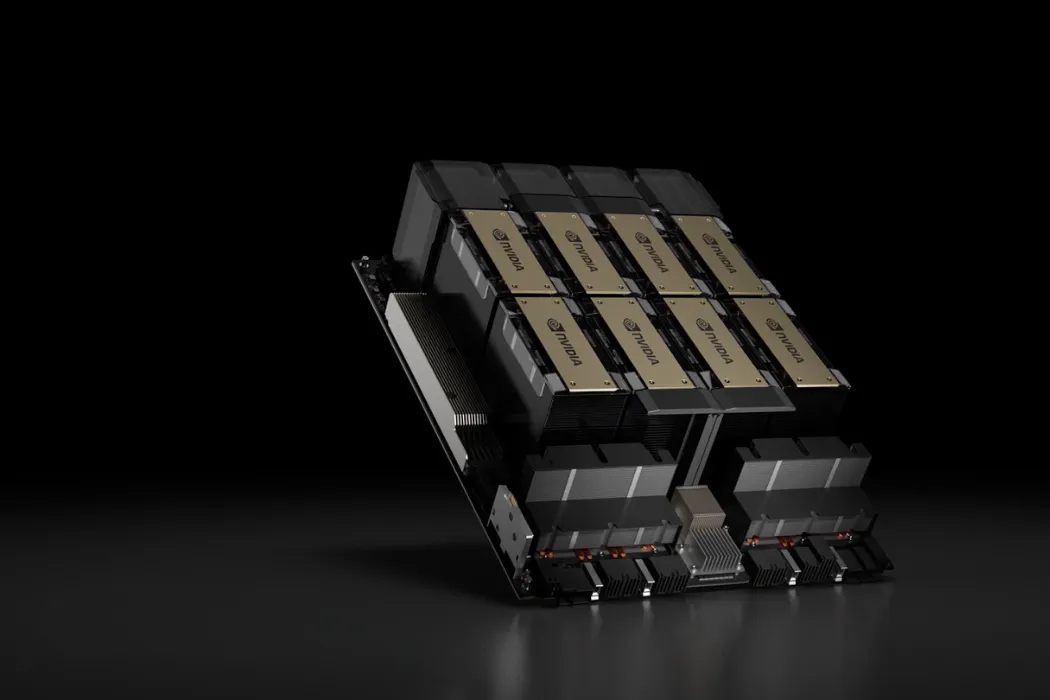
The world is buzzing with AI. It’s powering everything from your favorite streaming service recommendations to groundbreaking medical research. This AI revolution is built on incredibly powerful computer chips. But there’s a catch, a hot one. These chips, especially the GPUs that are the workhorses of AI, are generating a staggering amount of heat. We’re talking about single processors that can get as hot as a stovetop. The old way of cooling data centers—using massive amounts of cold air—is hitting a wall. It’s like trying to cool a furnace with a desk fan. The math just doesn’t work anymore.
Liquid cooling is essential for modern AI data centers because it efficiently manages the immense heat from powerful processors. Unlike air, liquid absorbs and transfers heat far more effectively. This allows data centers to pack more computing power into smaller spaces, prevent performance loss, and drastically cut energy use. It’s the key to unlocking AI’s full potential while keeping operations sustainable and efficient in these high-density environments.
Not long ago, data center cooling was a simpler problem. You could walk into a server room and feel a blast of cold air from computer room air conditioning (CRAC) units. That was enough. But the game has changed. The shift from basic servers to dense racks packed with AI accelerators has created a thermal crisis. Air, a poor conductor of heat, simply can’t remove heat fast enough. This forces servers to slow down (a process called throttling) or even shut down completely.
This article is your complete guide to understanding the solution. We will dive deep into liquid cooling technologies. You’ll learn about the different types, how they work, their pros and cons, and how to implement them. We’ll even look at real-world examples and future trends. Get ready to see how we can keep the AI revolution running cool.
The Importance of Cooling in AI Data Centers
Effective cooling is vital in AI data centers because the powerful processors required for AI tasks generate extreme levels of heat. This intense heat can damage expensive hardware, cause performance to drop, or even lead to complete system shutdowns. As AI chips become more powerful, traditional air-cooling methods are no longer sufficient. Liquid cooling is the essential solution to manage these high thermal loads, ensuring reliability, boosting efficiency, and supporting the dense computing power that modern AI demands.

Rising Heat Challenges from AI Workloads
Think of an AI processor as a world-class athlete. It’s always running at peak performance, and that generates a lot of heat. We measure this with a metric called Thermal Design Power (TDP). Just a few years ago, a powerful chip might have a TDP of 300 watts. Today, new AI accelerators like NVIDIA’s Blackwell GPU are pushing past 1,000 watts (1kW). That’s more heat than a small electric grill, all coming from a chip the size of a book. This thermal challenge is growing with every new generation of AI hardware.
Limitations of Traditional Air Cooling
For decades, we’ve used air conditioning to cool data centers. It was a straightforward approach that worked well for less powerful servers. But air is not very good at carrying away heat. Trying to cool a modern AI server rack with air is like trying to cool a pizza oven by blowing on it. It’s simply not effective enough.
Traditional air cooling struggles to handle server rack densities above 40-50 kilowatts (kW). Today’s AI racks can easily exceed 100 kW, making air cooling an outdated and inefficient technology for high-performance computing.
Why Liquid Cooling is the Future for Sustainability
Choosing the right cooling system isn’t just about performance. It’s also about building a sustainable future. Data centers are massive consumers of electricity and water. Liquid cooling provides a much greener alternative.
- Drastic Energy Reduction: Liquid is thousands of times more effective at heat transfer than air. This means data centers can replace huge, power-hungry fans and air conditioners with small, efficient pumps, often cutting cooling energy by 30% or more.
- Significant Water Savings: Many large data centers rely on evaporative cooling towers, which consume millions of gallons of water. Liquid cooling systems are “closed-loop,” meaning they recycle the same coolant continuously, nearly eliminating water waste.
- Opportunity for Heat Reuse: The warm liquid leaving the servers can be captured and repurposed. This “waste” heat can be used to warm nearby buildings or offices, turning an operational cost into a valuable resource.
Understanding Liquid Cooling: Definition and Fundamentals
Liquid cooling is a method that uses a fluid to absorb heat directly from computer components and move it away. Unlike air, which is a poor heat conductor, liquids like water or specialized dielectric fluids can carry heat much more efficiently. This allows data centers to cool extremely powerful, high-density AI servers that air cooling simply cannot handle. The process involves circulating the coolant through a closed loop, keeping vital hardware at optimal temperatures for peak performance and longevity.
What is Liquid Cooling in Data Centers?
At its core, liquid cooling is like the radiator in your car. It uses a fluid to pick up heat from the engine (in this case, the CPUs and GPUs) and carry it somewhere else to be released. This is a huge leap from traditional air cooling, which just blows cold air across the hardware. Think of it as the difference between standing in a cool breeze and jumping into a cool pool on a hot day. The pool cools you down much faster because water is so much better at absorbing heat.
Key Principles of Heat Transfer in Liquid Systems
Liquid cooling relies on a few basic laws of physics to work its magic. Understanding them helps show why it’s so effective.
- Conduction: This is heat transfer through direct contact. A cold plate, which is a metal block with channels for liquid, sits directly on top of a hot processor. The heat conducts from the chip into the metal plate.
- Convection: This is heat transfer through the movement of fluids. The liquid coolant flows through the channels in the cold plate, absorbing the heat from the metal and carrying it away. This moving liquid is the key to the entire process.
In data centers, we measure cooling efficiency using a metric called Power Usage Effectiveness (PUE). A perfect score is 1.0. While air-cooled facilities often have a PUE of 1.5 or higher, liquid-cooled data centers can achieve a PUE as low as 1.1, signaling massive energy savings.
Evolution of Liquid Cooling Technologies
Liquid cooling isn’t a brand-new idea. It has been used for decades in the world of high-performance computing (HPC) and mainframes—the giant supercomputers used for scientific research. However, for a long time, it was seen as too complex and expensive for most commercial data centers. The AI boom changed everything. As AI chips became hotter and more densely packed, the industry realized that the reliable, powerful methods used in HPC were now essential for mainstream AI infrastructure. What was once a niche technology has quickly become the new standard.
Types of Liquid Cooling Techniques
Liquid cooling isn’t a single solution; it’s a family of technologies. Each type offers a different way to tackle the heat problem in AI data centers. The best choice depends on factors like the power density of the servers, the existing infrastructure, and the overall budget. From targeted chip cooling to fully submerging entire servers, there is a method designed for nearly every scenario. Understanding these options is the first step toward building a more efficient and powerful data center.
Direct-to-Chip (D2C) Cooling
Direct-to-Chip (D2C) cooling is one of the most popular and targeted forms of liquid cooling. It uses a small, metal component called a cold plate that sits directly on top of the hottest parts of a server, like the CPU or GPU. A coolant, usually a water-glycol mixture, flows through tiny channels inside the cold plate, absorbing heat through direct contact and carrying it away safely. This method is highly efficient because it removes heat right at the source, before it can spread into the server chassis.
D2C cooling is like giving a high-performance processor its own personal radiator. It’s precise, effective, and can be integrated into existing server designs, making it a powerful choice for upgrading data centers to handle demanding AI workloads.
There are two main variations of D2C cooling:
- Single-Phase D2C: In this system, the coolant always remains in its liquid state. It flows over the heat source, picks up the heat, and moves on. It’s simple, reliable, and the most common form of D2C today.
- Two-Phase D2C: This advanced method takes advantage of phase-change physics. The coolant is engineered to boil at a low temperature. When it hits the hot chip, it turns into a vapor, absorbing a massive amount of heat in the process. The vapor then travels to a condenser, where it turns back into a liquid to repeat the cycle. It’s incredibly powerful but also more complex.
Immersion Cooling
Immersion cooling takes a more radical approach: it involves completely submerging entire servers in a thermally conductive, but not electrically conductive, liquid. This dielectric fluid surrounds every component, providing uniform and highly effective cooling without any fans. It might sound extreme, but it’s one of the most efficient ways to manage heat in ultra-high-density environments. The downside is that it requires specialized server tanks and can make hardware maintenance more complex and messy.
Rear-Door Heat Exchangers and In-Rack Systems
What if you aren’t ready to go all-in on liquid cooling? Rear-door heat exchangers (RDHx) offer a perfect middle ground. This is a hybrid approach that combines air and liquid cooling. A special “radiator door” containing liquid-filled coils is attached to the back of a standard server rack. The hot air that normally exhausts from the servers passes through this door, transferring its heat to the liquid before it ever enters the data center room. It’s a fantastic way to boost the cooling capacity of an existing air-cooled facility without a complete overhaul.
Emerging Variants: Microchannel and Microconvective Cooling
The quest for better cooling never stops. Researchers and engineers are now developing next-generation techniques that integrate cooling directly into the chip architecture itself. These methods, like microchannel cooling, involve creating microscopic channels within the silicon of a processor. A coolant flows through these tiny passages, removing heat with unparalleled precision. This technology is still in its early stages but holds the promise of cooling the super-powerful AI chips of the future that might otherwise be impossible to manage.
How Liquid Cooling Works in AI Data Centers
Liquid cooling in AI data centers works much like a car’s cooling system. A pump circulates a special fluid through a network of tubes directly to the hot components, like CPUs and GPUs. The liquid absorbs the intense heat and carries it away to a heat exchanger. There, the heat is transferred out of the server and facility. This continuous, closed-loop process efficiently removes far more heat than air, keeping expensive AI hardware cool, reliable, and running at peak performance.

Step-by-Step Process of Liquid Cooling Operation
While the technology can seem complex, the actual process is straightforward. It’s a continuous loop designed to move heat from point A to point B as efficiently as possible.
- Heat Absorption: The cycle starts at the heat source. A liquid coolant is pumped to a cold plate mounted directly on a hot processor. The heat from the chip conducts into the cold plate and is absorbed by the fluid flowing through it.
- Heat Transport: The now-warm liquid flows out of the server through a network of tubes and manifolds. It travels to a central unit called a Coolant Distribution Unit (CDU).
- Heat Rejection: Inside the CDU, the warm coolant passes through a heat exchanger. Here, it transfers its thermal energy to a second, separate water loop (the facility water).
- Coolant Return: The now-cool liquid is pumped back to the servers to repeat the process, constantly drawing heat away from the critical IT hardware.
System Architecture and Integration
A liquid cooling system is more than just tubes and pumps; it’s an integrated architecture. The system is typically built around two main loops:
- The Primary Loop: This is the facility’s main water line. It brings cool water to the data center floor and takes the heated water away to be cooled by chillers or cooling towers.
- The Secondary Loop: This is the closed loop of high-performance coolant that circulates within the server racks, picking up heat from the chips and transferring it to the primary loop via the CDU.
Coolants and Fluids: Properties and Selection
Not all coolants are created equal. The type of fluid used is critical for both safety and performance. The two most common categories are:
Water-Glycol Mixes: This is the most common choice for Direct-to-Chip systems. Water is an amazing coolant, and glycol is added to prevent corrosion and biological growth. It’s cost-effective and highly efficient but is electrically conductive.
Dielectric Fluids: These are special engineered oils or fluids that do not conduct electricity. This makes them safe enough to submerge an entire server in, which is why they are used for immersion cooling. They are less thermally efficient than water but offer the ultimate level of safety and coverage.
Components of a Liquid Cooling System
A liquid cooling system is not just one item; it’s a team of specialized parts working in perfect harmony. Each component has a critical role in the journey of capturing heat and safely removing it from the data center. Understanding these building blocks helps to demystify the technology and shows how a complete, reliable solution is engineered. From the pieces that touch the processors to the brains that monitor the whole operation, every part is essential for success.
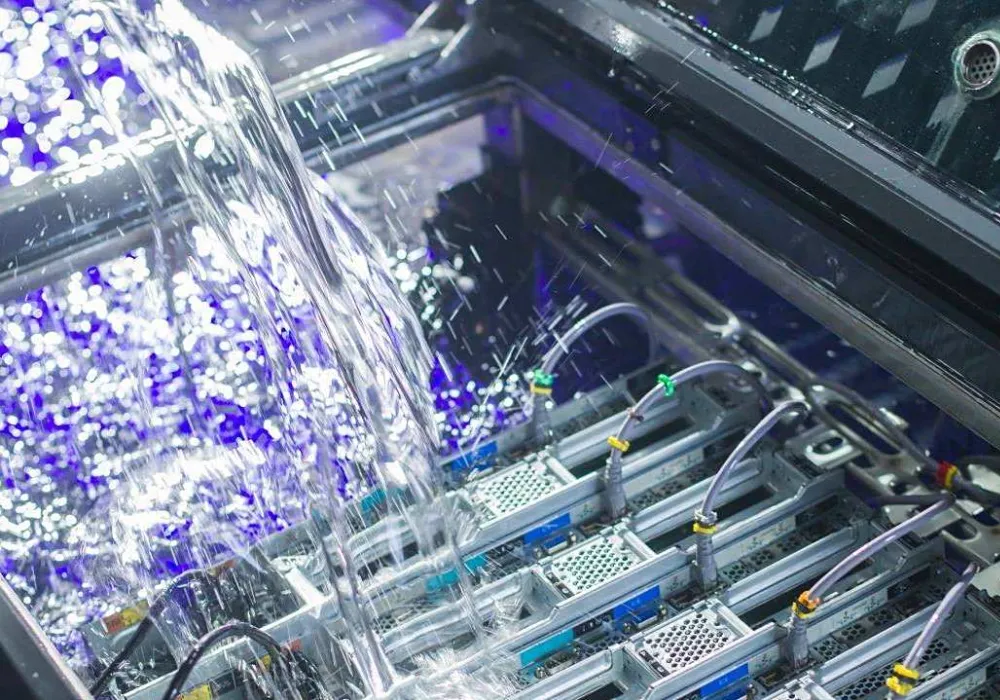
Core Hardware Elements
At the heart of any liquid cooling setup are several key pieces of hardware that do the heavy lifting.
- Cold Plates: These are the heat collectors. A cold plate is a precisely engineered block of metal, typically copper or aluminum, that sits directly on top of a hot component like a CPU or GPU. Inside are micro-channels that allow the coolant to flow through and absorb heat via conduction.
- Pumps: The pump is the engine of the entire system. It is responsible for circulating the coolant through the loop, ensuring a steady and consistent flow to maintain optimal temperatures.
- Manifolds and Tubing: These are the highways for the coolant. Flexible or rigid tubes connect the components, while manifolds act as distribution hubs, splitting the flow of coolant to multiple cold plates or servers.
- Coolant Distribution Units (CDUs): Think of the CDU as the system’s command center. It’s a larger unit that often contains the pumps, heat exchangers, and control systems needed to manage the cooling loop for one or more server racks.
Heat Exchangers and Monitoring Systems
Beyond moving liquid, a robust system needs to manage the heat and ensure safety. A heat exchanger is where the heat is finally offloaded from the IT equipment. The warm coolant from the servers flows through it, transferring its thermal energy to the building’s main water loop without the two liquids ever mixing.
Modern liquid cooling systems are equipped with a full suite of sensors. These smart systems monitor everything from flow rates and temperatures to pressure. Crucially, they include sophisticated leak detection sensors that can instantly alert operators and shut down the system to prevent any damage.
Benefits and Advantages of Liquid Cooling
Switching to liquid cooling offers massive advantages for any AI data center. The primary benefits are huge gains in energy efficiency, better performance from your expensive AI hardware, and a much smaller environmental footprint. Because liquid is so much better at moving heat than air, you can cool more powerful chips, pack them closer together, and slash your electricity and water bills—all at the same time. It’s a transformative upgrade that pays for itself over time.
Energy Efficiency and Reduced Consumption
One of the most significant benefits of liquid cooling is the dramatic reduction in energy use. Traditional air cooling relies on large, power-hungry fans and chillers to move massive volumes of air. Liquid cooling replaces them with highly efficient pumps that use a fraction of the electricity.
This efficiency is measured by Power Usage Effectiveness (PUE). While a typical air-cooled data center might have a PUE of 1.6, a liquid-cooled facility can achieve a PUE of 1.1 or even lower. This translates directly into lower operational costs and big savings on energy bills.
Performance Enhancements for AI
AI processors only deliver their full potential when kept cool. Liquid cooling ensures they stay within their optimal temperature range, unlocking several performance benefits:
- Higher Density: You can safely install more powerful processors in each server rack without worrying about overheating. This means more computing power in the same physical space.
- No More Throttling: Air-cooled chips often have to slow themselves down (throttle) to avoid heat damage. Liquid cooling eliminates this problem, allowing your hardware to run at its maximum rated speed, 24/7.
- Extended Hardware Life: Constant, high temperatures degrade electronic components over time. By keeping chips cool and stable, liquid cooling helps extend the lifespan of your expensive AI investments.
Sustainability and Water Savings
Liquid cooling is a much greener technology. The closed-loop systems continuously recycle a small amount of coolant, which virtually eliminates the massive water consumption associated with evaporative cooling towers used in many large, air-cooled data centers. Furthermore, the warm liquid leaving the servers can be captured for heat reuse, providing heating for nearby offices or buildings and creating a more circular energy system.
Liquid Cooling vs. Other Cooling Methods
Choosing a cooling strategy isn’t just about picking the newest technology; it’s about finding the right fit for your specific needs. While liquid cooling is the clear winner for high-density AI, it’s important to understand how it stacks up against traditional air cooling and hybrid options. Each approach has its own strengths, costs, and ideal use cases. This comparison will help you see the full picture and make an informed decision for your data center’s future.
Liquid Cooling vs. Traditional Air Cooling
The most fundamental choice in data center cooling is between air and liquid. For decades, air was the default solution, but the demands of AI have exposed its weaknesses. Liquid is simply a more powerful and efficient medium for heat transfer. The difference is not small—it’s a game-changer for performance and cost.
| Metric | Traditional Air Cooling | Liquid Cooling |
|---|---|---|
| Efficiency (PUE) | Typically 1.4 – 1.8 | As low as 1.05 – 1.2 |
| Rack Density Support | Struggles above 40 kW/rack | Easily supports 100+ kW/rack |
| Space Requirement | Requires large CRAC units and hot/cold aisles | Frees up floor space for more IT equipment |
| Energy Consumption | High (large fans and chillers) | Low (small, efficient pumps) |
Pros and Cons of Liquid Cooling Approaches
Even within the world of liquid cooling, there are important trade-offs. The two leading methods, Direct-to-Chip (D2C) and Immersion, offer different benefits.
- Direct-to-Chip (D2C): This approach is highly targeted and easier to retrofit into existing data centers. It focuses cooling on the hottest components. However, it may require some airflow to cool other parts of the server.
- Immersion Cooling: This method provides total, uniform cooling for every component. It is incredibly efficient. But it requires a complete infrastructure change with large, specialized tanks and can make hardware maintenance more complex.
Hybrid Air/Liquid Systems: When and Why
For many data centers, jumping straight to full immersion isn’t practical. This is where hybrid systems shine. They offer a bridge between the old world of air and the new world of liquid.
A hybrid solution like a Rear-Door Heat Exchanger (RDHx) is often the smartest first step. It attaches to the back of a server rack and uses liquid to cool the hot air before it leaves. This can double the cooling capacity of a room without requiring a massive, upfront investment, making it an ideal strategy for gradual upgrades.
These systems allow you to increase rack density and cool hotter AI hardware today, while paving the way for more advanced liquid cooling solutions tomorrow. They are a pragmatic choice for operators who need to balance performance, budget, and long-term scalability.
Implementation Considerations for Liquid Cooling
Adopting liquid cooling is more than a simple hardware swap. It requires careful planning and a clear understanding of your facility’s unique needs. Success depends on evaluating factors like your building’s layout, your budget for both initial costs and long-term operation, and your team’s ability to maintain the new system. Thinking through these details upfront ensures a smooth transition and helps you get the maximum return on your investment.
Planning and Design Factors
Before you buy a single component, you need a solid plan. A key decision is whether you are building a new data center or retrofitting an existing one. Retrofitting requires a careful audit of your current space, power, and plumbing. You also need to choose the right vendor. Look for a partner with proven experience in thermal management who can help design a solution tailored to your specific AI workloads and goals.
Infrastructure Challenges and Costs
Liquid cooling involves both an initial investment (CAPEX) and ongoing operational costs (OPEX). While the CAPEX for pumps and CDUs can be significant, the OPEX is often much lower than air cooling due to massive energy savings. A thorough analysis of the Total Cost of Ownership (TCO) will almost always show that liquid cooling pays for itself over time through reduced electricity bills.
Maintenance, Safety, and Best Practices
Modern liquid cooling systems are incredibly reliable, but they still require proper care. The biggest concern is always leak prevention.
- Choose systems with high-quality, factory-sealed components.
- Ensure your system has automated leak detection sensors.
- Train your staff on proper maintenance and emergency procedures.
Ultimately, the goal is to calculate the Return on Investment (ROI). By comparing the cost of implementation against the savings in energy and the performance gains from your AI hardware, you can build a powerful business case for making the switch to liquid cooling.
Future Trends and Innovations in Liquid Cooling
The world of data center cooling is not standing still. As AI chips get even more powerful, the technology to cool them is evolving right alongside. The future is about making liquid cooling smarter, more efficient, and even more integrated into the data center ecosystem. We are moving toward systems that can think for themselves and use resources with incredible precision. This innovation ensures that we can meet the thermal challenges of tomorrow’s AI.
Emerging Technologies on the Horizon
Several exciting advancements are set to redefine liquid cooling:
- AI-Optimized Cooling: The ultimate evolution is using AI to manage cooling. Future systems will use machine learning to predict thermal loads in real-time, automatically adjusting coolant flow to specific processors. This will maximize efficiency and save even more energy.
- Advanced Fluids: Researchers are developing new dielectric fluids and engineered coolants that are even better at transferring heat. These next-generation fluids will be safer, more environmentally friendly, and capable of cooling future generations of ultra-hot chips.
- Integration with Renewables: As sustainability becomes more critical, data centers will increasingly integrate liquid cooling systems directly with renewable energy sources and advanced heat reuse architectures, creating a truly green and circular infrastructure.
The market is responding to this urgent need. Industry analysts predict the data center liquid cooling market will surge, growing to over $1.6 billion by 2027 as it becomes the standard solution for AI and high-performance computing.
Frequently Asked Questions (FAQs)
How urgent is the need for liquid-cooled servers in AI data centers?
It is extremely urgent. The latest AI processors already generate more heat than traditional air cooling can handle. Without liquid cooling, data centers face performance throttling, hardware failures, and unsustainable energy costs. For any organization serious about AI, liquid cooling has shifted from a future option to a present-day necessity.
What are the main types of liquid cooling?
The two primary types are Direct-to-Chip (D2C) and Immersion cooling. D2C uses cold plates to cool specific hot components, making it ideal for retrofits. Immersion involves submerging entire servers in a dielectric fluid for total, uniform cooling, which is highly efficient but more complex to implement.
How does liquid cooling reduce water and energy consumption?
It cuts energy use by replacing large, inefficient fans with small, powerful pumps. This can lower a data center’s Power Usage Effectiveness (PUE) significantly. It saves water because the systems are closed-loop, constantly recycling coolant, which eliminates the need for evaporative cooling towers that waste millions of gallons.
Can existing data centers be retrofitted for liquid cooling?
Yes, absolutely. Technologies like Direct-to-Chip (D2C) and especially Rear-Door Heat Exchangers are designed specifically for retrofitting. They allow data centers to integrate liquid cooling into their existing infrastructure without needing a complete and costly overhaul, providing a scalable upgrade path.
What are the pros and cons of immersion vs. direct-to-chip cooling?
Direct-to-Chip is easier to install and maintain, targeting only the hottest components. However, it might still require some air cooling for the rest of the server. Immersion is the most powerful method, cooling everything uniformly, but it requires specialized tanks and makes hardware access more difficult.
Conclusion: Your Next Step Toward a Cooler, Faster AI Future
The age of AI is here, and it runs on heat. The incredible power of modern processors has pushed traditional air cooling to its absolute limit. As we’ve seen, liquid cooling is no longer a niche technology for supercomputers; it is the essential foundation for any data center that wants to remain competitive, efficient, and sustainable. It unlocks higher performance, slashes energy costs, and enables the computational density that tomorrow’s challenges will demand.
Making the switch requires careful planning, but the rewards are transformative. A cooler data center is a more powerful, more reliable, and more profitable data center. The path forward is clear, and the technology is ready.
Ready to unlock the full potential of your AI infrastructure?
The heat problem is complex, but your solution doesn’t have to be. The experts at Walmate Thermal have over a decade of experience designing and manufacturing custom liquid cooling solutions, from high-performance cold plates to complete system integration. We can help you design a system perfectly tailored to your needs.Contact us today to request a quote and start building a cooler, more powerful AI data center.