PC and HTPC builders constantly weigh performance against silence when tackling heat management. The choice between active and passive cooling defines not only system noise and power efficiency but also long-term reliability and the physical design of the build itself.
This guide compares active vs passive cooling through real-world data on thermal capacity, noise behavior, and reliability trade-offs. You’ll also explore semi-passive and fanless configurations to decide which cooling approach matches your workload, case size, and performance goals.
Silence or Power? Choosing Your Cooling Philosophy
Active cooling systems deliver superior thermal performance and power handling for high-performance builds, while passive cooling prioritizes silence and reliability for low-heat applications. The choice depends on workload intensity, noise tolerance, and space constraints rather than a universal “best” solution.
PC builders face a recurring question: is it better to prioritize silence or performance when managing heat? The answer often lies in how the system will be used, not in one cooling method always surpassing the other. Passive and active cooling each bring measurable advantages depending on heat output, space constraints, and acoustic goals.
Key Comparison of Passive and Active Cooling
This comparison outlines measurable performance and practical differences that define each philosophy. In our experience, understanding these core trade-offs helps ensure system stability and component longevity.
| Parameter | Passive Cooling 🌀 | Active Cooling ⚙️ |
|---|---|---|
| Noise Level | ✅ 0–5 dB (silent) | ❌ 20–40+ dB (depends on fan) |
| Thermal Capacity | ⚠️ Low–medium (<65 W TDP) | 🚀 High (65–300 W+ TDP) |
| Power Consumption | ✅ 0 W | ❌ 5–50 W |
| Initial Cost | ✅ $20–150 | ⚠️ $50–500+ |
| Maintenance | ✅ Minimal (annual dusting) | ⚠️ Moderate (fan or liquid upkeep) |
| Lifespan | ✅ 10+ years | ❌ 5–8 years |
| GPU Cooling Capability | ⚠️ Entry-level (<75 W) | 🚀 High-end (300 W+) |
Contextual Use Cases and Cooling Philosophy Selection
The ideal cooling choice depends on system role and operational context. Passive and active methods each fit specific build philosophies that balance noise, thermal control, and longevity.
- 💡 Passive cooling fits HTPCs where low heat (<30 W GPU load) and complete silence are important to preserve the audiovisual atmosphere.
- 🚀 Active cooling suits gaming rigs, workstations, and overclocked CPUs that handle 150–300 W+ heat output during demanding workloads.
- ⚠️ Compact cases with limited airflow often need active or hybrid setups to maintain stable temperatures in tight spaces.
- ✅ Hybrid coolers, such as liquid-based systems, lower noise while achieving the same thermal headroom as traditional air-cooled units.
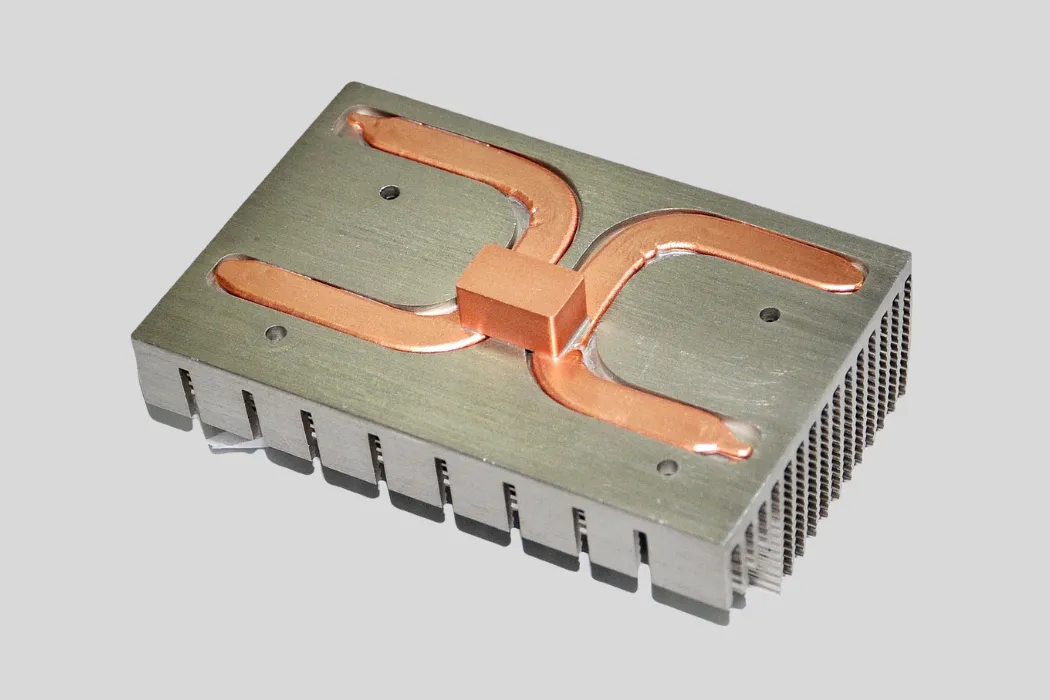
In practice, Walmate Thermal designs both passive and active solutions tailored to the device’s thermal envelope. For dense environments like industrial control or GPU systems, combining liquid cooling plates with precise heat sink configurations provides predictable, long-term thermal reliability.
Challenging Common Misconceptions
Several myths still surround the discussion of active vs passive cooling. Understanding these helps users make informed decisions without overestimating silence or undervaluing power.
- ✅ Modern active cooling can stay nearly silent at idle using PWM fan control or liquid modules, increasing airflow only under heavy load.
- ⚠️ Passive systems are not always completely quiet since coil whine or heat-cycle expansion can create subtle noise.
- ❌ Relying exclusively on passive cooling may cause thermal throttling or shorter component lifespan in high-performance environments.
- 💡 Upfront savings on passive setups might disappear over time due to potential efficiency losses and lower hardware reliability.
In our experience at Walmate Thermal, combining real thermal modeling with practical use-case testing leads to balanced solutions. Whether you aim for absolute quiet or top performance, a cooling design grounded in accurate heat analytics defines true system stability.
Passive Cooling: Zero Noise, Zero Dust, High Temps
Passive cooling systems in PC and data center environments eliminate fan noise and dust accumulation by relying on natural heat dissipation, but they operate at higher internal temperatures compared to active cooling, which can impact long-term component reliability. They are favored for energy efficiency and maintenance-free operation, especially where silence and dust control are critical.
Passive cooling offers a silent, dust-free way to manage heat in PCs and data centers. While it’s efficient and low maintenance, it runs at higher internal temperatures compared to fan-based active cooling. For builders comparing active vs passive cooling, the decision often comes down to balancing silence, temperature, and reliability.
Noise, Dust, and Energy Efficiency Comparison
Below is a data-driven comparison between passive and active cooling systems across key performance factors used in PC and data center applications.
| Metric | Passive Cooling 💡 | Active Cooling ⚙️ |
|---|---|---|
| Noise Output | ✅ 0 dB — completely silent (no fans) | ❌ 20–40 dB from fan movement |
| Dust Accumulation | ✅ Minimal, due to lack of forced airflow | ❌ Requires regular cleaning |
| Operating Temperatures | ⚠️ Runs 10–20 °C hotter, reaching 70–85 °C under load | ✅ Typically 50–70 °C under load |
| Energy Use (Data Centers) | 🚀 Improves energy efficiency by up to 36 % | ❌ Higher energy demand for fans and compressors |
| Maintenance Frequency | ✅ Near-zero maintenance | ❌ Servicing needed monthly to quarterly |
Passive Cooling Technology and Applications
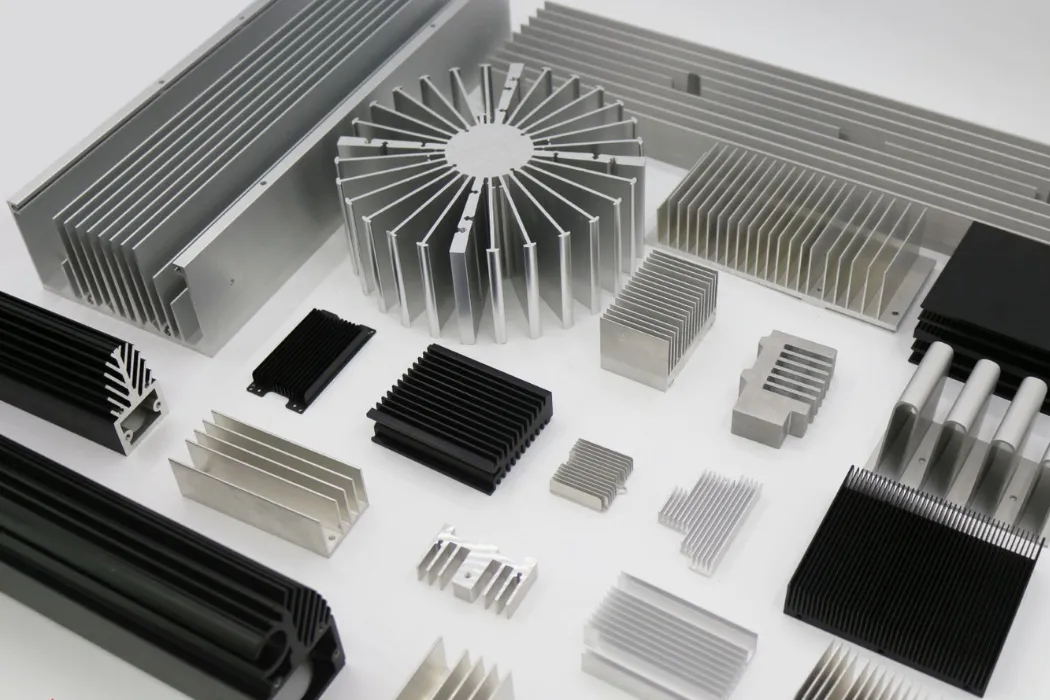
Passive cooling uses heat sinks, thermal conduction paths, and occasionally advanced materials to remove heat without moving parts. Materials such as evaporative membranes and radiative surfaces can further improve dissipation efficiency.
- 💡 Silent operation: Ideal for workplaces, home theater PCs, and compact systems where noise matters.
- ✅ Low maintenance: No fan replacements or filter cleaning needed.
- 🚀 Energy savings: Useful for edge data centers and devices with low-to-moderate power use.
- ⚙️ Emerging applications: Underwater data centers and evaporative membrane solutions push the efficiency boundary.
In our experience at Walmate Thermal, passive and hybrid thermal designs are advancing quickly thanks to improved materials and precision heat sink geometry. These developments make silent builds and energy-efficient data solutions more practical than ever.
Trade-offs and Critical Considerations
While silent, passive cooling runs at higher temperatures that can shorten component lifespan or trigger throttling under sustained workload. This makes it less suitable for power-hungry gaming rigs, rendering systems, or AI-intensive hardware requiring strict temperature control.
- ⚠️ Design factors matter: Ambient temperature, orientation, and surface area must be considered in the layout.
- 💡 Addressing misconceptions: Passive cooling isn’t always inferior—its strengths lie in silence, reliability, and minimal upkeep.
- ✅ Balanced solutions: For critical or high-load systems, hybrid active-passive configurations can provide the best of both approaches.
Walmate Thermal applies nearly 20 years of R&D in designing system-level cooling—from advanced heat sinks to TEC modules and liquid cooling plates. This experience allows us to develop passive, active, and hybrid thermal management solutions customized for consumer electronics, industrial automation, and new-energy sectors.
Active Cooling: Max Performance, Compact Size, Fan Noise
Active cooling systems deliver maximum thermal performance in compact spaces but generate measurable fan noise, often requiring design trade-offs between airflow, size, and acoustic output. Fan noise can be reduced by up to 16.5 dB with advanced control or design, but even optimized compact fans typically emit 30–50 dB(A) under load.
In PC case and HTPC designs where space is tight, active cooling remains the standard approach to control component temperature. It provides unmatched heat dissipation per unit size but introduces challenges in noise management and design optimization.
Active Cooling Defined and Its Challenges
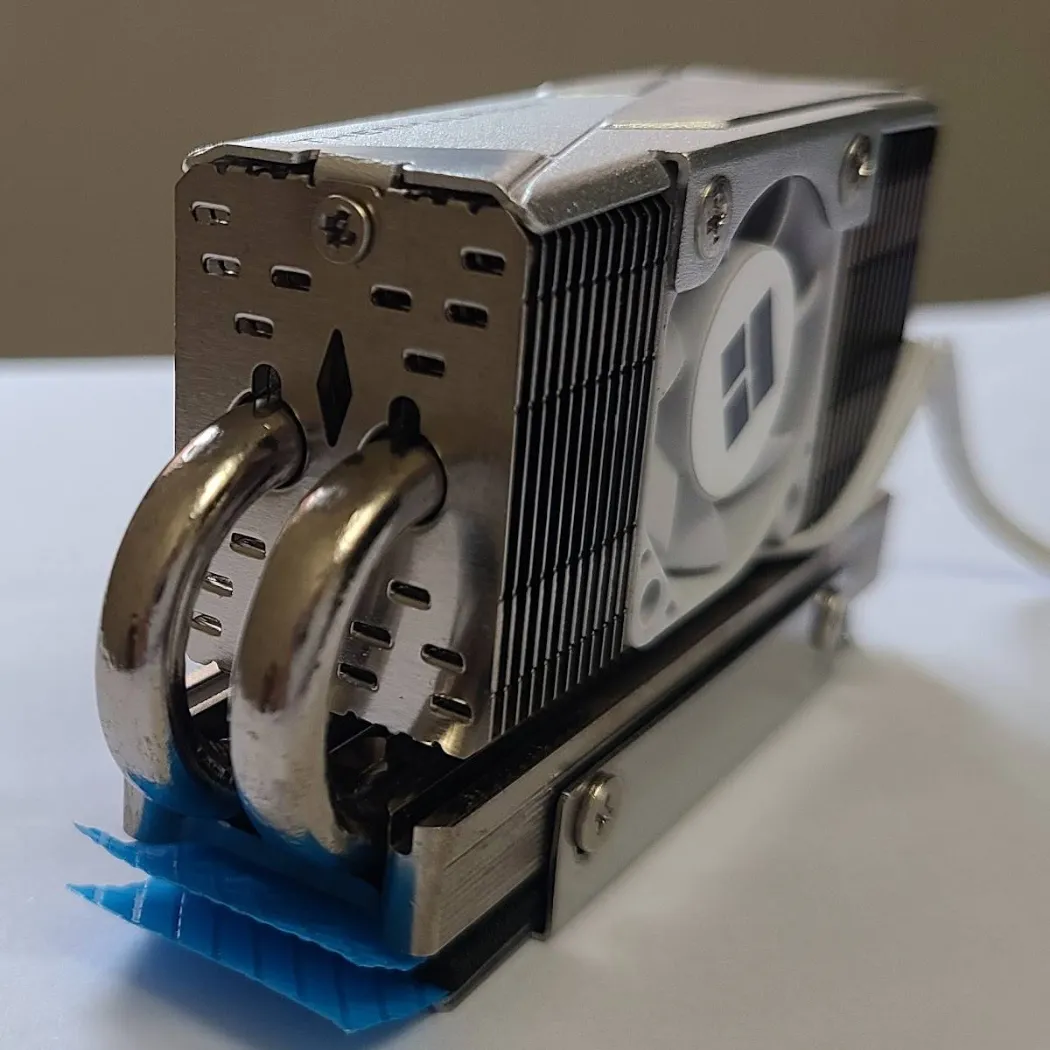
Active cooling uses fans or pumps to move air or liquid through a system. This active airflow effectively transfers heat away from high-power components such as CPUs, GPUs, and VRMs. It enables compact systems to operate within thermal limits that would overwhelm passive solutions.
- 💡 Compact designs often rely on smaller, faster fans to sustain airflow, generating 30–50 dB(A) of noise depending on fan speed and design.
- ⚠️ Limited internal space restricts larger fan integration, which would otherwise lower noise at the same airflow level.
- ✅ Designers must balance performance with acoustics, choosing between efficiency, size, and acceptable sound output.
In our experience at Walmate Thermal, the link between airflow density and acoustic comfort often guides the design direction for small form factor systems.
Data on Fan Noise Levels and Reduction Techniques
Measured data shows how design techniques can cut fan-generated noise without losing performance. The following figures summarize common results observed in engineering studies and lab testing.
| Technique / Condition | Typical Noise Level or Reduction | Impact / Notes |
| Standard compact PC fan | 30–50 dB(A) | Baseline during normal load operation |
| Active Noise Control (ANC) | Noise reduction up to 16.5 dB | Cancels tonal noise at blade frequency 🔇 |
| Aerodynamic blade optimization | Reduction up to 20 dB, efficiency gain 23% | 🚀 Improves both cooling and acoustics |
| Upsized fan with lower rpm | Significantly lower noise at same airflow | ✅ Larger fans spread load more efficiently |
| Improved thermal interface materials | Fan noise cut by ~5 dB(A) | 💡 Enables slower fan speeds |
| Automotive radiator fan optimization | Noise lowered by about 7 dB | Applied principles benefit PC cooling |
These strategies demonstrate that active cooling doesn’t always have to mean loud performance. With advanced fan design and control methods, systems can deliver both effective heat removal and acoustic comfort.
Benefits and Trade-Offs of Active Cooling in Compact Systems
Active cooling makes it possible to pack high-performance hardware into small enclosures. It dissipates heat efficiently, maintaining system reliability for power electronics, automotive modules, and compact PCs.
- ✅ Enables top-tier component layouts without enlarging system volume.
- 🚀 Supports consistent performance in heat-strained environments such as data centers and EV electronics.
- ⚠️ Noise is an inevitable side effect due to air movement and mechanical vibration.
- 💡 Dynamic fan speed control and acoustic optimization can maintain balance between thermal needs and noise output.
- ❌ Systems built for silence sometimes trade thermal headroom or require larger enclosures.
In small PC builds, the decision often depends on whether the builder prioritizes quiet operation or sustained power draw. Walmate Thermal’s engineering team often helps customers model this balance to reach project-level acoustic targets.
Critical Perspective: Addressing Common Misconceptions
Active cooling is often misunderstood as inherently noisy or inefficient, but the reality is more nuanced. Modern fan design, control algorithms, and aerodynamic refinements have dramatically improved acoustic performance.
- 💡 Not every active solution is loud—design choices can significantly reduce perceived noise.
- ✅ Passive cooling cannot match the thermal density required in compact, high-wattage builds.
- ⚠️ Absolute silence usually demands compromises in thermal performance or increased device footprint.
- 🚀 Choosing between active vs passive cooling should depend on specific goals—heat load, available space, and acceptable noise limits.
For enthusiasts comparing active vs passive cooling, Walmate Thermal’s experience shows that noise management through smart engineering yields the best of both reliability and comfort without oversizing the system.
Optimize Thermal Performance with Expert Precision
Partner with Walmate Thermal for tailored, high-efficiency cooling solutions backed by two decades of innovation and advanced R&D. Experience reliable manufacturing capacity and cutting-edge designs that elevate your products’ performance and longevity.
The Physics of Convection: Why Passive Heatsinks Are Huge
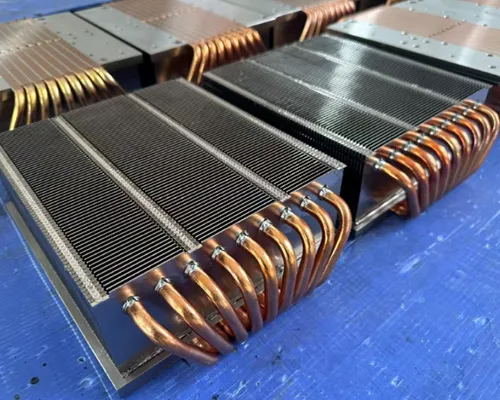
Passive heatsinks are physically large because the rate of heat dissipation in natural convection is directly proportional to the surface area; without fans to increase airflow, maximizing exposed area is essential to achieve adequate cooling for PC components.
When comparing active vs passive cooling, the size difference is immediately obvious. Passive heatsinks often appear oversized because they rely only on air’s natural movement for heat transfer. This section explains why that size is necessary from a physics and engineering standpoint.
Fundamentals of Heat Dissipation in Passive Cooling
Passive heatsinks depend entirely on natural convection, where air movement comes from temperature differences rather than fans. Because this natural flow is slow and unpredictable, the heat transfer coefficient (h) is very low — usually only 5 – 10 W/m²·K compared to active cooling’s 30 W/m²·K.
To offset this limitation, engineers enlarge the total surface area so more heat can transfer into the surrounding air. This is why most passive designs use deep fin arrays or extended metal surfaces to boost area without drastically increasing weight.
- 💡 Natural convection limits performance, making surface area expansion the main design lever.
- ✅ Fin arrays with thin, tall structures improve convective heat removal.
- ⚠️ The system’s position and ambient airflow can strongly influence total efficiency.
Key Technical Data and Design Considerations
Thermal engineers use measurable parameters to size a passive heatsink correctly. The main metric is thermal resistance, or how much temperature rise occurs per watt of heat removed.
| Specification | Passive Cooling | Active Cooling |
|---|---|---|
| Thermal Resistance Target | ⚙️ ~4.28 °C/W | 🚀 ~1.14 °C/W |
| Typical Junction Temperature at 10 W | ⚠️ ~103 °C | ✅ ~71 °C |
| Fin Dimensions | Aluminum, 1 mm thick, 25 mm tall | Typically smaller fins, forced airflow |
| Thermal Conductivity | Aluminum 170–205 W/m·K | Similar material, optimized geometry |
Volume and surface area are computed from the component’s power dissipation and the allowed temperature rise. Since the relationship is roughly linear, doubling the cooling surface cuts temperature rise nearly in half — but only under consistent ambient conditions.
Critical Perspective on Passive Heatsink Design
Many PC builders assume using high-conductivity materials guarantees effective cooling. In our experience, that’s rarely true. The material helps spread heat, but without broad surface exposure and some natural airflow, even copper won’t prevent overheating under load.
- 💡 Passive cooling works best for low-power builds or home theater PCs where silence matters most.
- ⚙️ Designers balance cost, size, and visual appearance against thermal efficiency.
- ✅ Simulation and CFD modeling tools predict the needed surface area to maintain safe junction temperatures.
For Walmate Thermal, passive heatsink engineering is an area of long-term specialization. With nearly 20 years of experience, the company designs aluminum and copper heatsinks for systems where noise control and reliability come before compactness. Their engineers apply real-world convection data to build solutions that meet strict performance margins for industrial and consumer-grade devices.
Semi-Passive: The Best of Both Worlds?
Semi-passive cooling solutions combine elements of both active and passive cooling, offering quieter operation than traditional active systems while providing better thermal performance than purely passive designs. These systems use fans or pumps only when necessary, resulting in a balance between noise reduction and effective heat dissipation.
Semi-passive cooling designs bridge the gap between active and passive approaches. They are favored by PC builders and HTPC enthusiasts who want near-silent operation without sacrificing reliable temperature control.
Key Performance Comparison
Below is a comparison of typical active, passive, and semi-passive cooling setups, based on factors like noise, thermal performance, and lifespan.
| Parameter | Active Cooling | Passive Cooling | Semi-Passive Cooling |
|---|---|---|---|
| 🔊 Noise Output | Constant 20–40 dB | Constant 0 dB | 0 dB (idle) / 20–30 dB (load) |
| 🌡️ Thermal Performance | Best under heavy load | Often runs 5–15°C hotter under load | Runs 5–10°C higher than active, 5–15°C cooler than passive |
| ⚡ Power Consumption | Constant 2–5 W | 0 W | 0 W (idle) / 2–5 W (fan engaged) |
| 🧩 Component Lifespan | Standard | Maximum (no moving parts) | Extended due to less fan wear and lower dust buildup |
| 💰 Cost Premium | Baseline | Baseline | 10–30% higher cost |
In our experience, these comparative ranges give builders a clear sense of where semi-passive systems fit within the performance spectrum of active vs passive cooling.
Understanding Semi-Passive Cooling Designs
Semi-passive cooling systems automatically activate fans or pumps only after surpassing a defined thermal threshold. During idle or light workloads, the fans remain off, enabling silent operation and energy savings.
- 💡 Fans or pumps switch on only when temperatures climb beyond safe limits.
- ✅ Quieter than active cooling while achieving better temperature control than passive designs.
- 🚀 Excellent for PC builders and HTPC setups where both silence and stability matter.
- ⚠️ Less suitable for extreme overclocking or continuous heavy workloads.
- ❌ Not ideal for setups that maintain high sustained power draw or operate in high ambient temperatures.
Semi-passive models work best in environments that prioritize low noise and reduced dust accumulation. By blending passive and active functions, they allow components to run cooler during demanding use without constant fan noise. This balanced approach fits the needs of users expecting long-term reliability and a cleaner build environment.
Reliability Check: Fans Die, Aluminum Doesn’t
Fans with moving parts, such as those used in active cooling, are prone to mechanical failure over time. Aluminum components in passive cooling systems offer much greater reliability and longevity due to their solid-state, corrosion-resistant nature. Typical aluminum parts can last 20+ years, whereas fans usually fail after 30,000–70,000 hours of continuous use.
In our experience at Walmate Thermal, reliability often determines the long-term value of a cooling solution. This section compares active fan systems and passive aluminum designs in terms of lifespan, maintenance, and cost efficiency for PC and HTPC builders.
Lifespan and Reliability Comparison
Active fans depend on bearings and motors, which wear out over time. Most fans operate reliably for 30,000–70,000 hours, equivalent to about 3–8 years of continuous use before failure risks increase. Meanwhile, aluminum-based passive systems can last more than 20 years with proper design and installation.
| Component Type | Average Lifespan | Main Failure Cause | Reliability Rating |
|---|---|---|---|
| 🌀 Active Cooling Fan | 30,000–70,000 hours (3–8 years) | Bearing wear, dust accumulation, electrical faults | ❌ Moderate |
| 🧊 Passive Aluminum Heat Sink | 20+ years | No moving parts; corrosion resistance from anodizing | ✅ High |
Mechanical failure remains the leading reason fans shut down in PC and small form factor systems. Aluminum’s natural corrosion resistance, often improved through anodizing, ensures long-term stability even in high-humidity environments.
Maintenance and Cost Considerations
Active cooling systems come with upkeep requirements. Fans need periodic cleaning and eventual replacement once bearings or motors degrade. Dust buildup can reduce cooling performance and add maintenance downtime.
- ⚙️ Fans require regular inspection and cleaning to maintain optimal airflow.
- ⚠️ Replacement parts add cost and downtime when failures occur.
- 💡 Typical fan power draw ranges from 1–5W, adding to energy costs over time.
- ✅ Aluminum heat sinks need little to no maintenance, offering low operational cost and minimal service interruptions.
While fans may appear cheaper initially, the cumulative cost of replacements, cleaning, and power consumption increases ownership expenses. Passive aluminum cooling systems, though higher in initial cost, deliver significant lifetime savings through consistent thermal performance and reduced maintenance.
Critical Perspective on Cooling Solution Reliability
A common myth among DIY builders is that regular maintenance can make active fans as reliable as passive aluminum solutions. In practice, wear mechanisms and electrical components make that nearly impossible over long periods.
| Aspect | Active Fan Cooling | Passive Aluminum Cooling |
|---|---|---|
| Reliability Over Time | ❌ Declines with wear and dust exposure | ✅ Stable performance for 20+ years |
| Maintenance Demand | ⚠️ Requires frequent cleaning and replacements | ✅ Minimal to none |
| Best Used For | Budget builds, short-to-medium term systems | Mission-critical, silent, or low-maintenance PCs |
High-end fans with extended ratings still fail prematurely from dust, vibration, or circuit issues. In contrast, aluminum components with no moving parts work reliably even under continuous operation. For mission-critical or noise-sensitive applications, passive aluminum cooling remains the trusted solution—balancing long-term reliability with consistent performance.
The Garage Guru’s Reality Check: Can You Actually Go Fanless?
It is technically possible to build a fanless PC, but it is highly impractical for most modern workloads due to the significant heat output of today’s CPUs and GPUs. Fanless designs are best suited for ultra-low-power systems or specialized industrial applications.
Building a fanless PC sounds appealing for those chasing absolute silence, but the technology behind it reveals strict limits. In our experience at Walmate Thermal, thermal control is not just an enthusiast’s concern—it defines system stability, especially when comparing active vs passive cooling setups.
Understanding Fanless PC Technology
Fanless PCs remove all moving air components, relying instead on large heatsinks and cleverly designed chassis for natural convection. They dissipate heat passively through surface area and material conductivity rather than forced airflow.
- 💡 Fanless PCs depend completely on passive heatsinks and surface design for cooling.
- ⚠️ Average consumer-grade passive heatsinks can handle only 30W–60W of thermal load under ideal conditions.
- ❌ Modern desktop CPUs consume between 65W–125W and GPUs reach 75W–350W, exceeding the safe limit for passive cooling.
While this approach eliminates noise, it also requires precise engineering and low-TDP hardware, something Walmate’s own R&D teams evaluate carefully in performance-sensitive applications.
Practical Data and Market Insights for Fanless Builds
Real-world power and temperature data highlight why most PCs retain at least one fan for balance. Below is a simplified comparison based on typical values:
| 💡 Metric | 📊 Typical Range / Data |
|---|---|
| CPU TDP (Desktop) | 65W–125W |
| GPU TDP (Desktop) | 75W–350W |
| Market Share for Fanless PCs (2025) | <1% |
| Temperature Rise (Passive vs Active) | +10°C–25°C vs +5°C–10°C |
| Price Premium for Fanless Hardware | 20%–50% |
These numbers show that fanless builds remain rare due to cost, heat, and limited scalability. Walmate often integrates passive methods into hybrid designs to maintain efficiency without compromising reliability.
Common Use Cases and Limitations
Not every scenario needs high airflow. Some benefit from silence and durability over raw power. Fanless PCs shine where minimal maintenance and quiet operation are top priorities.
- ✅ Embedded controllers, industrial machines, silent HTPCs, and low-power NAS devices make ideal use cases.
- ❌ Gaming, rendering, or heavy productivity workloads cause fast thermal throttling or unstable performance.
- ⚠️ Rising TDP trends in CPUs and GPUs limit passive cooling’s practicality year after year.
- 💡 Builders wanting whisper-quiet operation should explore low-noise fans or semi-passive cooling setups as balanced alternatives.
Critical Perspective on Fanless PC Viability
In our analysis, pure fanless systems meet niche needs but struggle under modern power densities. Effective passive cooling depends heavily on component efficiency and chassis architecture.
- ⚠️ High-TDP chips often can’t sustain safe temperatures without fan assistance or advanced heat-pipe architectures.
- ✅ Silent computing remains attractive for enthusiasts and professional environments that prioritize low noise.
- 💡 Hybrid designs—combining passive elements with slow, quiet fans—deliver the best ratio of performance to silence.
- 🚀 Walmate’s design teams continue developing efficient heat sinks and liquid plate systems for both fan-assisted and passive use cases across EVs, automation, and industrial electronics.
Ultimately, the question of active vs passive cooling comes down to balance. Absolute silence is achievable but requires major sacrifices. Smart thermal design, such as Walmate’s system-level solutions, ensures sustainable performance without unnecessary heat stress.
FAQs: About Active vs. Passive Cooling
Can I run my PC without fans?
You can, but only if you are using a fully passive cooling setup that can handle the system’s thermal load. Passive cooling relies solely on heat sinks and natural airflow to dissipate heat.
For most standard desktop PCs, especially those with high-power CPUs or GPUs, running without fans can quickly lead to overheating. In our experience, fanless builds are best suited for low-power systems or home theater PCs using efficient heat sink designs.
Is passive cooling safe for gaming?
Passive cooling is generally not suitable for gaming systems, as intense graphical and CPU workloads produce substantial heat. Without active airflow, temperatures can exceed safe limits.
High-end gaming setups benefit from active cooling—using fans or liquid loops—to maintain stable performance. Companies like Walmate Thermal design heat sinks and liquid cooling plates optimized for reliability and long gaming sessions.
How to build a silent PC?
To build a silent PC, choose low-noise fans, high-quality heat sinks, and fan curve profiles that lower RPM during light loads. Semi-passive or hybrid cooling is another good choice for silence while maintaining good thermals.
Walmate Thermal’s heat sinks and liquid cooling plates are often used in quiet system designs where thermal performance and noise reduction must stay balanced. Use noise-dampening cases and ensure good airflow to minimize acoustic impact.
What is semi-passive cooling?
Semi-passive cooling combines passive and active methods. Fans stay off when the temperature is low, relying on natural convection, and only turn on when heat builds up beyond a set threshold.
This hybrid system gives users quiet operation during idle time and enhanced thermal control during heavy use. It’s popular in modern GPUs and compact PCs that demand both silence and stability.
Does passive cooling reduce lifespan?
If designed properly, passive cooling does not shorten component lifespan. In fact, it can enhance reliability by eliminating fan wear and keeping dust buildup to a minimum.
That said, insufficient heat dissipation can increase operating temperatures, which may accelerate electronic aging. Using quality components—such as Walmate Thermal’s precision-engineered heat sinks—ensures long-term stability even without active fans.
Final Thoughts
Choosing between active and passive cooling shapes how your build performs, sounds, and endures. Active systems handle higher heat loads and compact layouts, while passive options excel in silence, reliability, and minimal upkeep. Semi-passive and hybrid approaches bridge both worlds, offering quiet operation with safety margins under load. The right method comes down to matching thermal design to power density, ambient conditions, and longevity goals.
Balancing these factors early in system design reduces thermal risk and avoids costly redesigns later. With precise modeling and quality components, builders can achieve stable, efficient builds suited to real-world conditions. Collaborating with an experienced thermal solutions partner like Walmate Thermal ensures each system maintains that balance of performance, silence, and reliability for years to come.